
- Using SafetyCulture
- Inspections
- Check my inspection access levels
Check my inspection access levels
Learn how to check your inspection access levels via the web app and the mobile app to know where you have access and control.What are template and inspection access levels?
Access levels define what users can do with each template and inspection in SafetyCulture. Templates and inspections each have their own access levels, so you can decide who can conduct inspections using a template, and who can view or manage inspection results. This helps keep your team organized by ensuring everyone has the right level of access to do their work.
For example, an operations manager may edit and update safety inspection templates, while team members can only conduct inspections using those templates and view their own results. Access levels help keep your templates and inspections secure and prevent unwanted changes.
What you'll need
If you don't have access to any templates or inspections, you may need to be given access by another user in your organization.
Check my access level for an inspection
Select
 Inspections in the sidebar or select it in
  More.
More.Click the inspection and select
 on the right-hand side of the page. If you see:
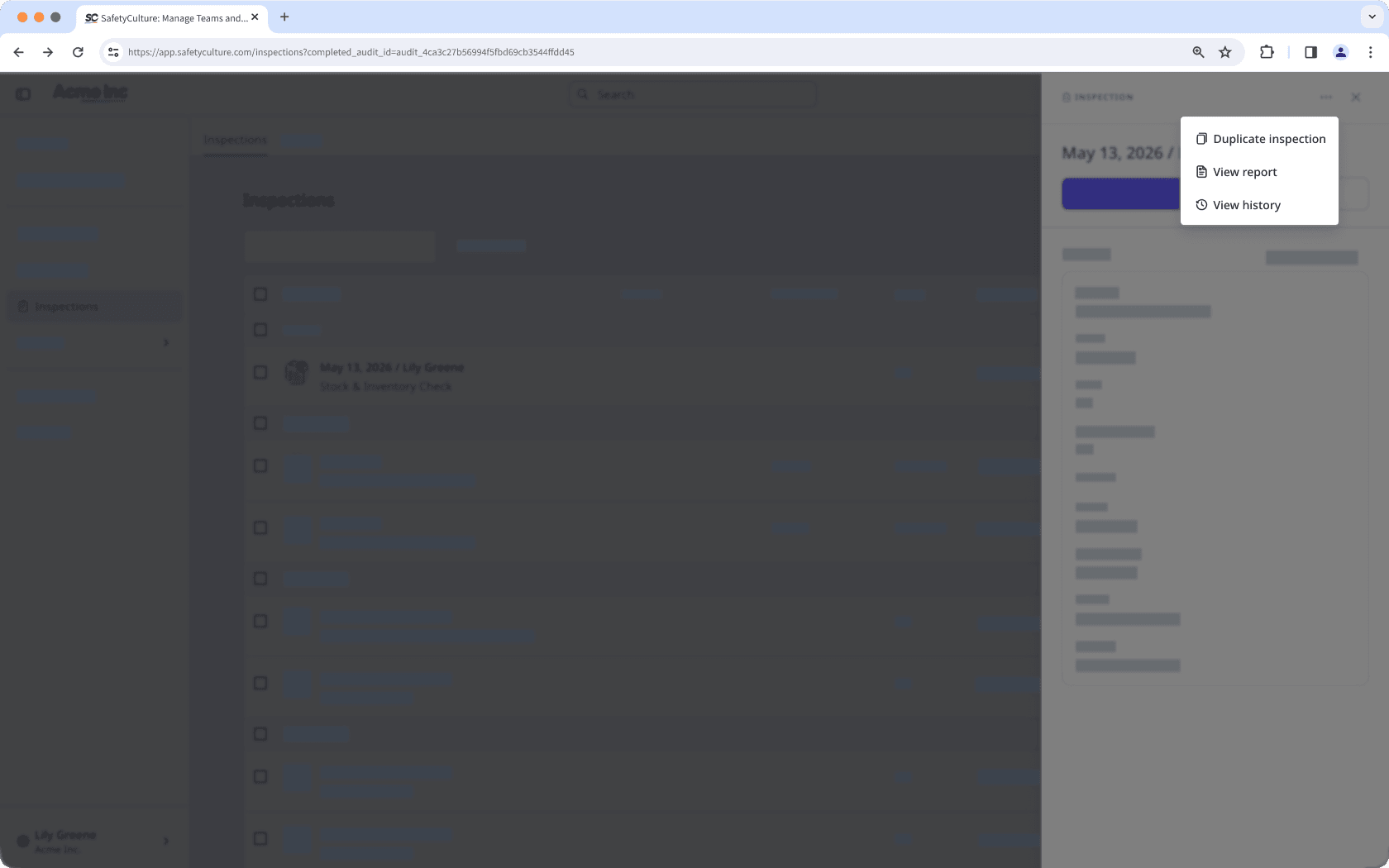
"Duplicate inspection", "View report", and "View history", but don't see "Edit inspection" this means you have "View" (read-only) access.
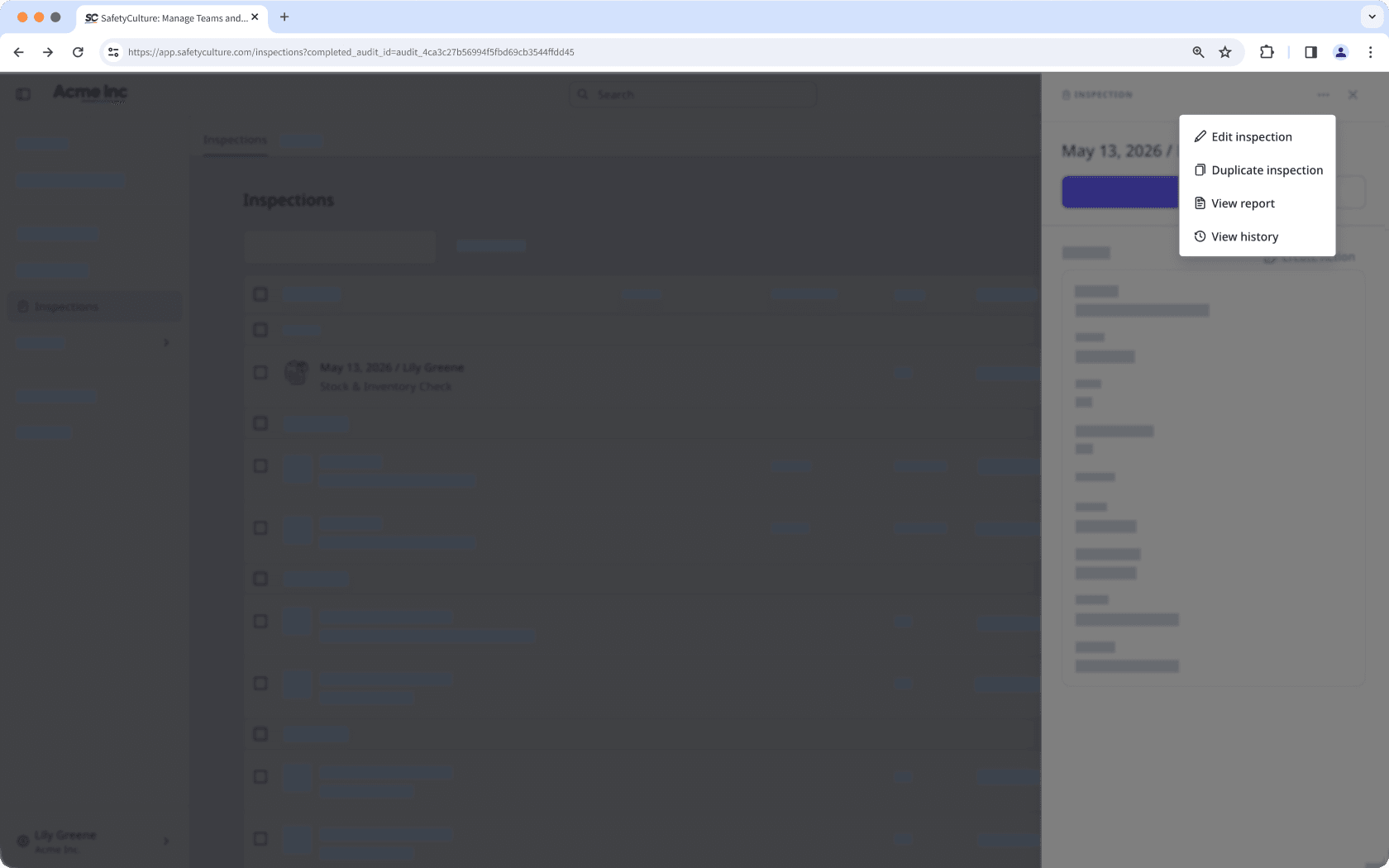
"Edit inspection", but don't see "Archive", this means you have "View, edit" access.
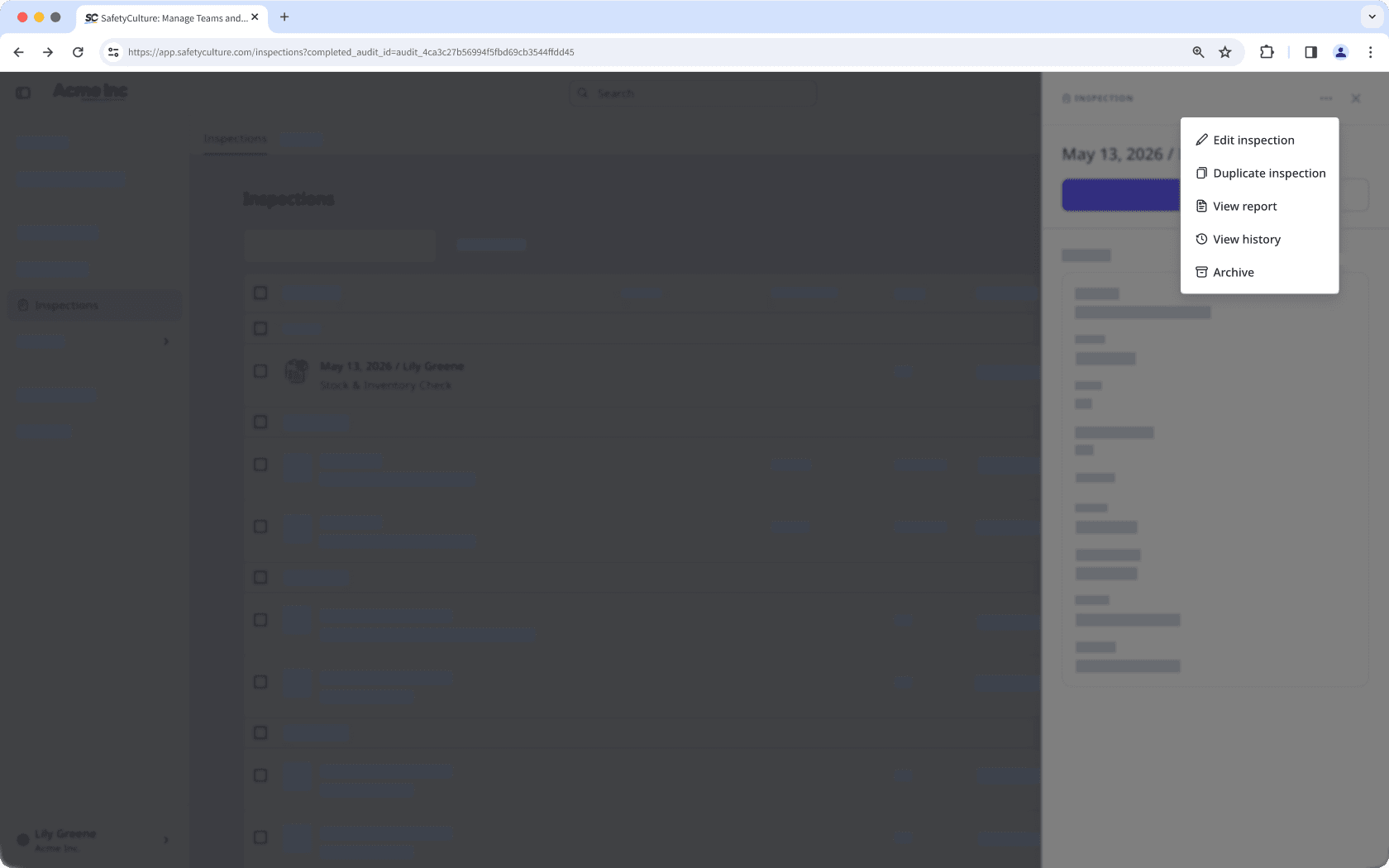
"Archive", this means you have "View, edit, delete" access.
Open the mobile app.
Tap
 Inspections in the navigation bar or select it from More.
Select In Progress & Complete tab at the top of your screen.
Tap the inspection and select
 or at the upper-right of your screen. If you see:
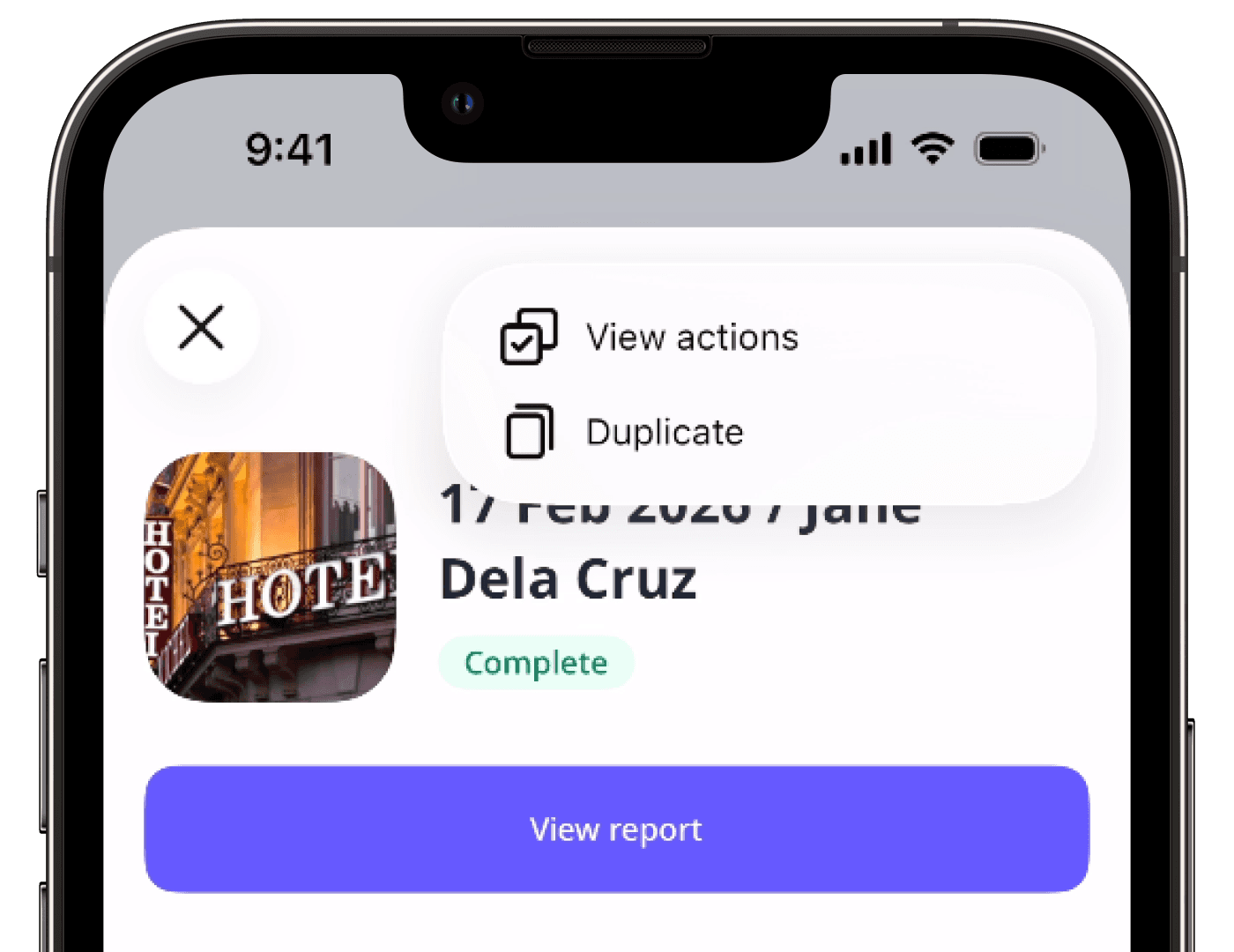
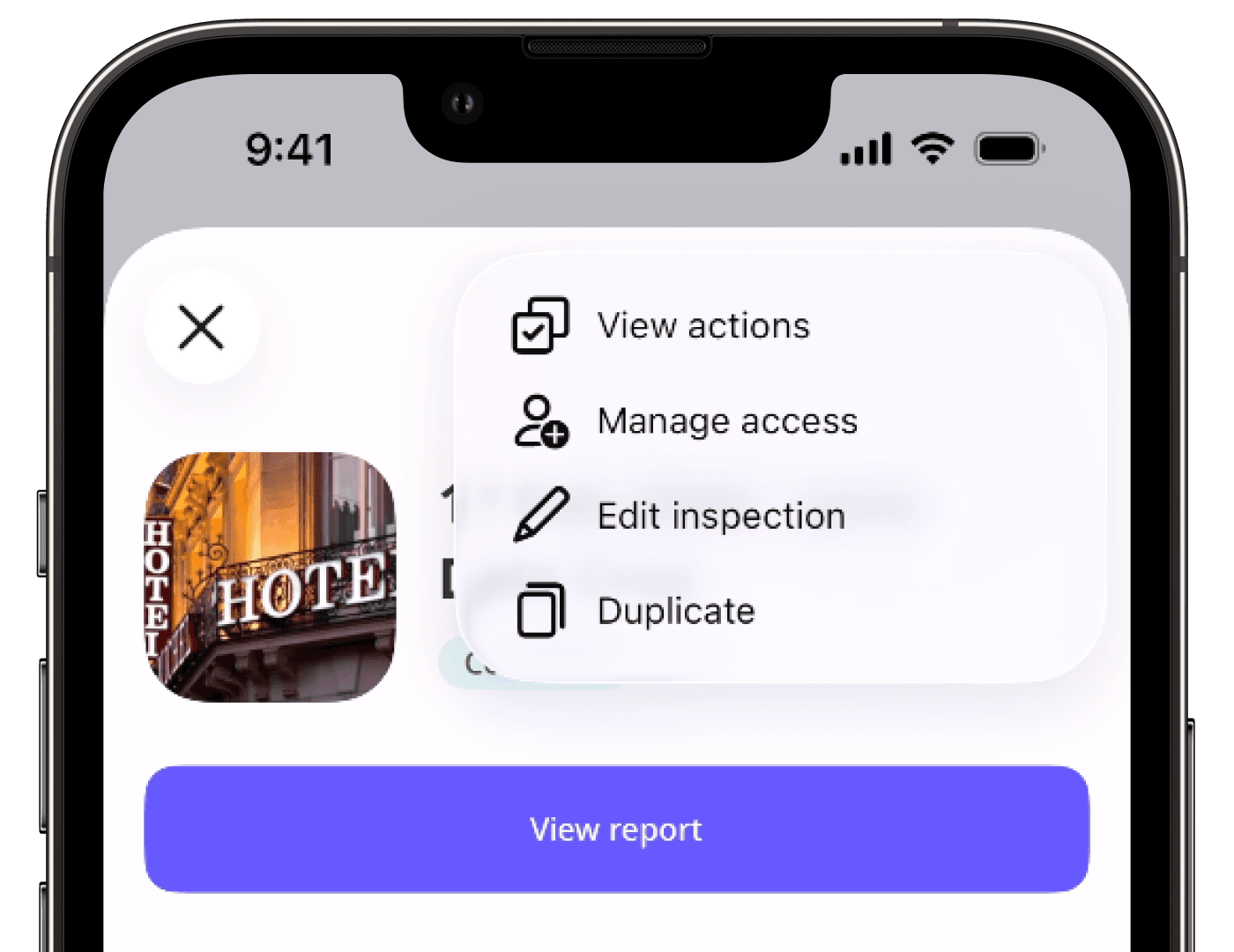
"View actions" and "Duplicate", but don't see "Edit" or "Edit inspection", this means you have "View" (read-only) access.
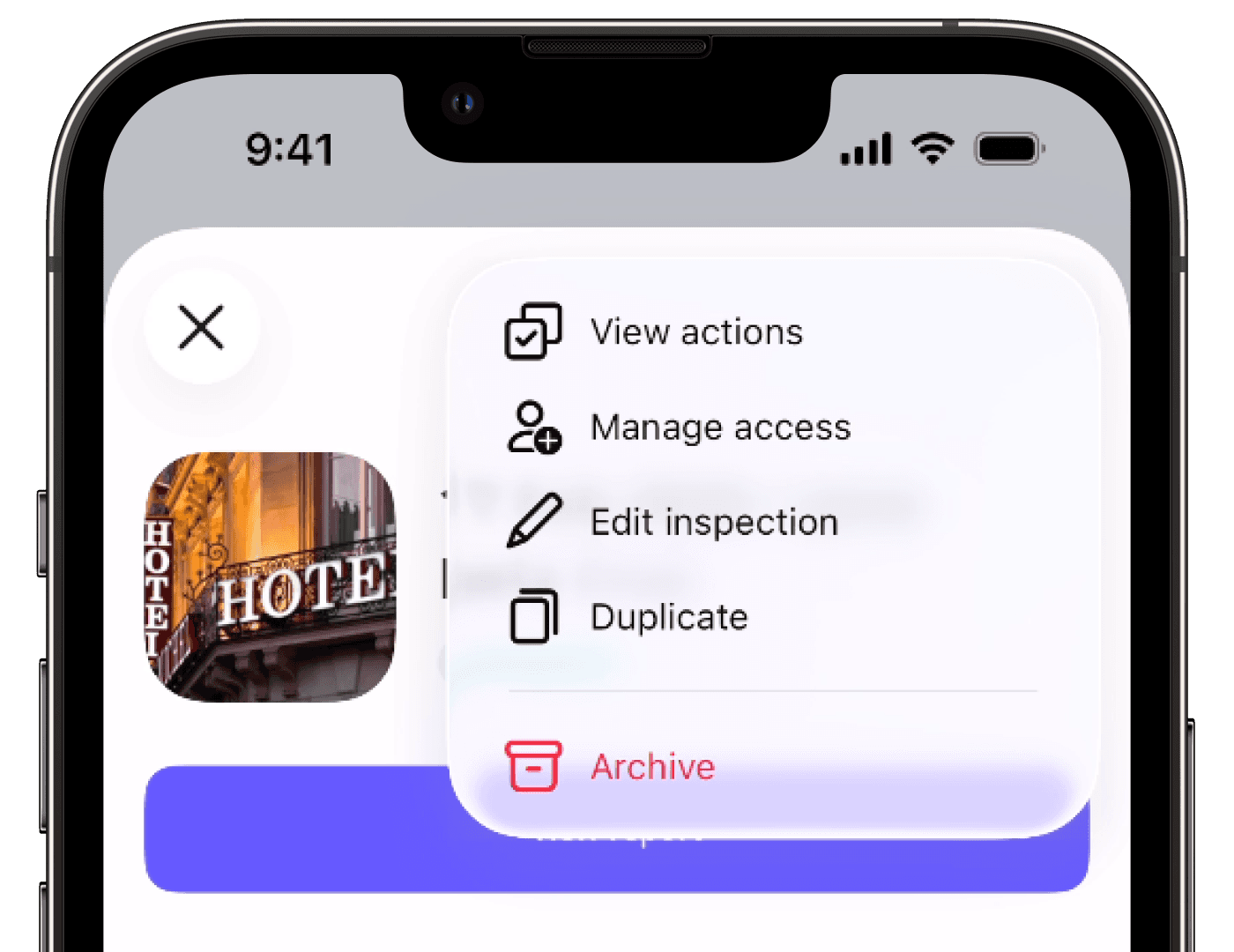
"Edit" or "Edit inspection", but don't see "Archive", this means you have "View, edit" access.
"Archive", this means you have "View, edit, delete" access.
Was this page helpful?
Thank you for letting us know.